Pencil Sketch Video Effect Tutorial
Project Type: Educational Content / YouTube Tutorial
Role: Content Creator, Video Editor & Presenter
Tools: Adobe Premiere Pro
Overview
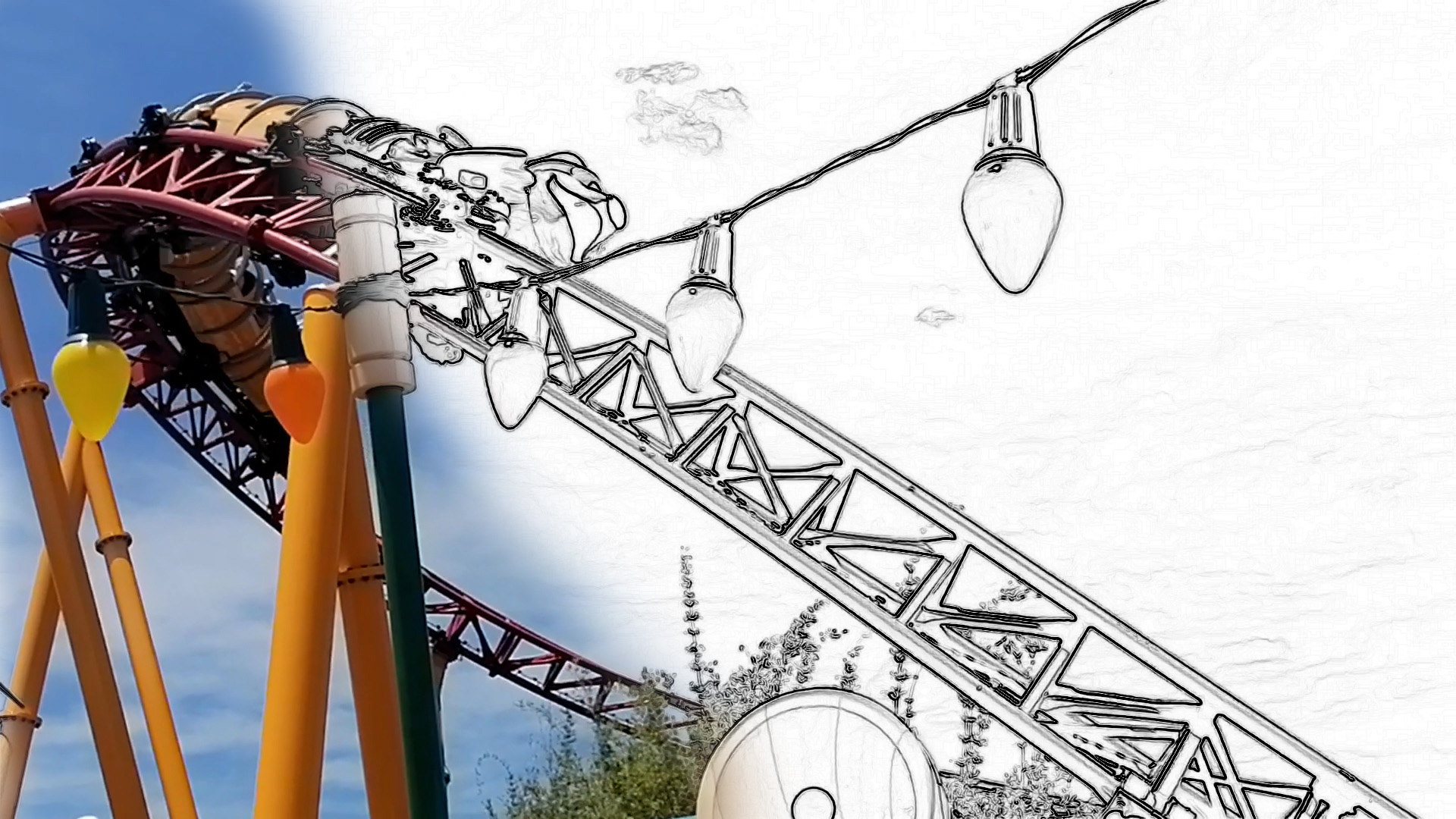
Created for my YouTube channel, this short tutorial demonstrates how to transform video footage into a pencil sketch using Adobe Premiere Pro. Designed as a quick and accessible guide, the video walks viewers through the process using built-in effects, making it suitable for both beginners and experienced editors looking to add a creative visual style to their projects.
My Approach
The tutorial focuses on achieving the sketch effect with a simple, efficient workflow. Viewers are guided through applying the Find Edges effect before converting the footage to monochrome using the Black & White effect, resulting in a clean pencil sketch aesthetic without the need for additional plugins or complex editing techniques.
Throughout the tutorial, I explain each step clearly and concisely, allowing viewers to recreate the effect in just a few minutes while gaining a better understanding of Premiere Pro's built-in visual effects.
Skills Demonstrated
- Adobe Premiere Pro
- Video editing
- Visual effects
- Educational content creation
- Tutorial scripting and presentation
- Digital storytelling
- Content production
Outcome
The completed tutorial provides viewers with a quick and practical technique for creating a stylised pencil sketch effect using only Adobe Premiere Pro's native tools. It showcases my ability to produce concise, easy-to-follow educational content while sharing creative editing techniques with the wider design community.